Your shop, in every pocket
A digital dukan, a QR standee for your counter, and buyers who find you on the map — set up in minutes, no technical skills needed.
For Shopkeepers
Mobile shops, grocery stores, hardware, pharmacies, auto parts — if you sell it, put it on the map.
Your own digital dukan
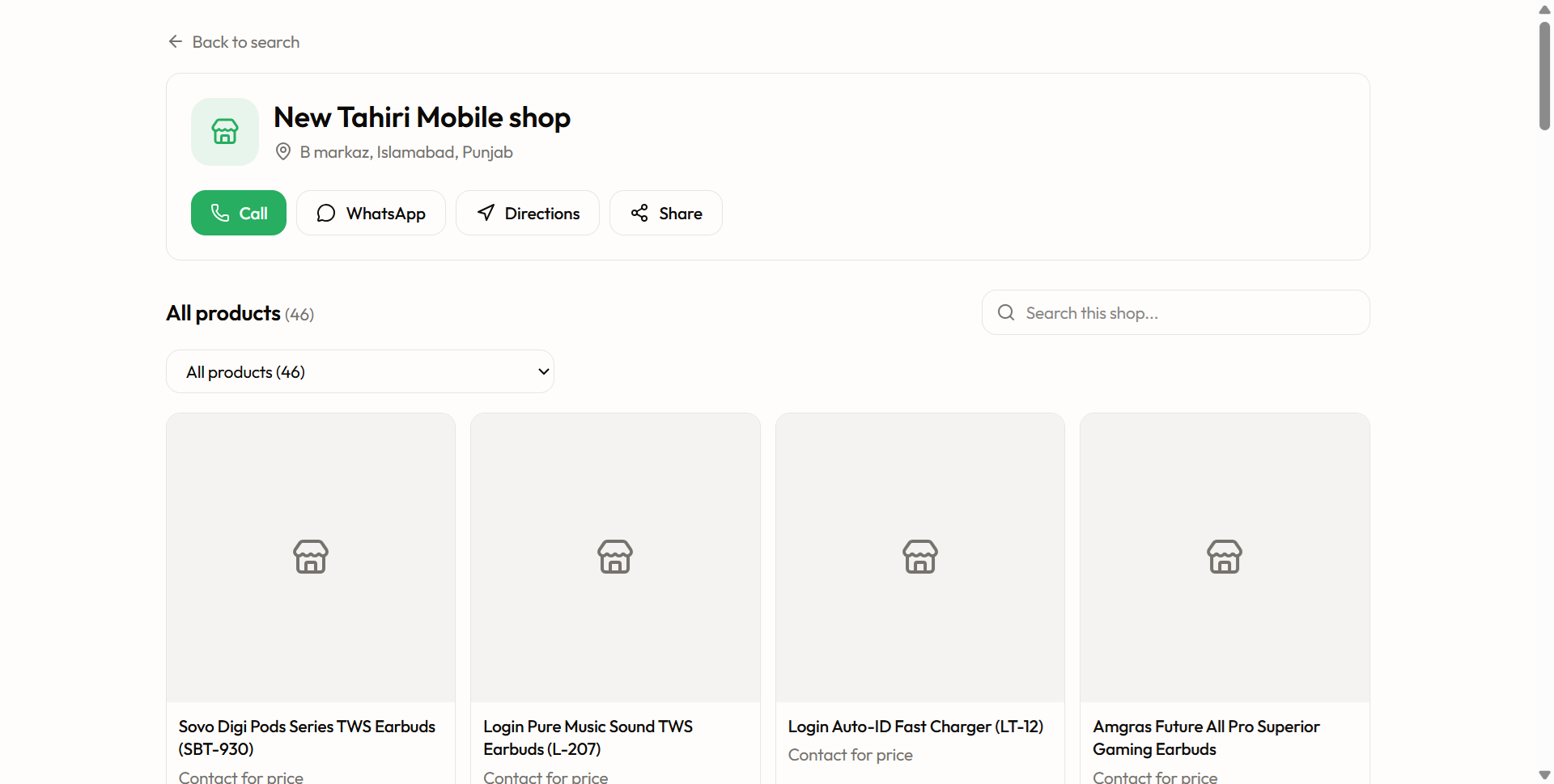
Every shop gets its own page — your products, prices, photos, phone, and directions. Share one link on WhatsApp and customers see your whole shop.
QR standee for your counter
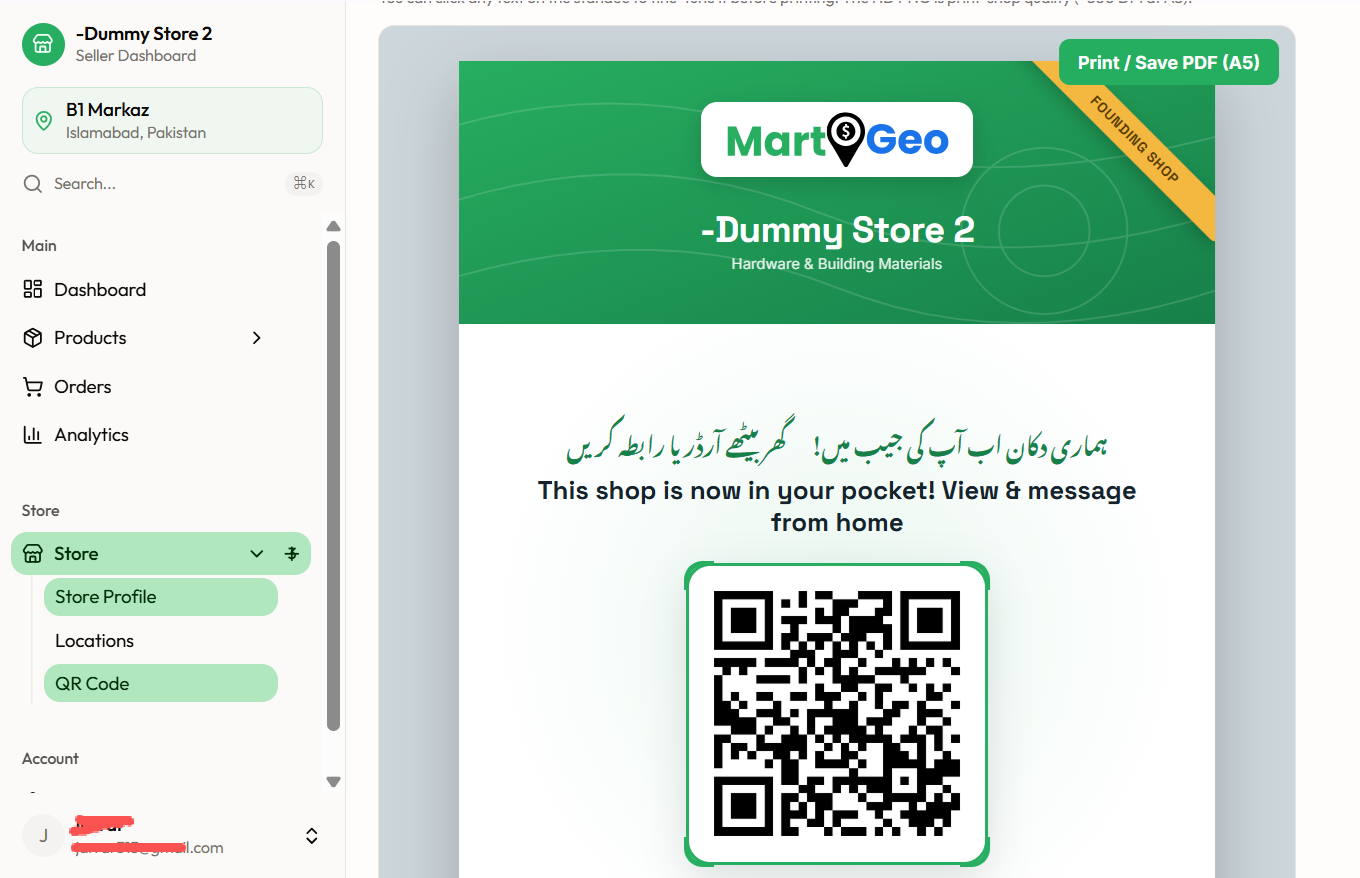
A ready-made A5 standee with your shop name and QR code. Print it or download it in HD and send to any print shop. Customers scan it and your dukan opens on their phone.
Add products your way
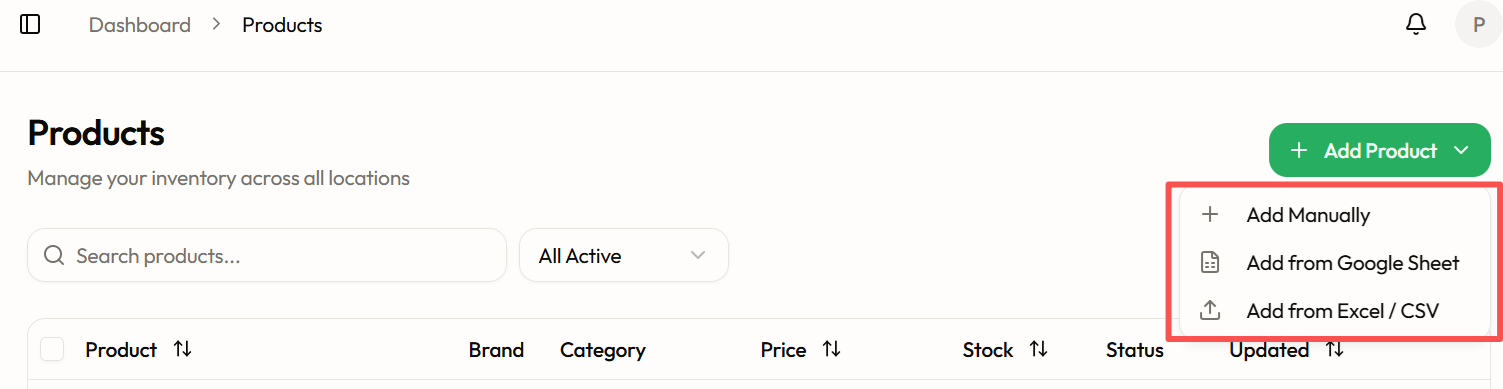
Type them one by one, or upload a whole Excel/CSV sheet at once. Photos, prices, stock, and units — all optional to start, easy to improve later.
Price privacy if you want it
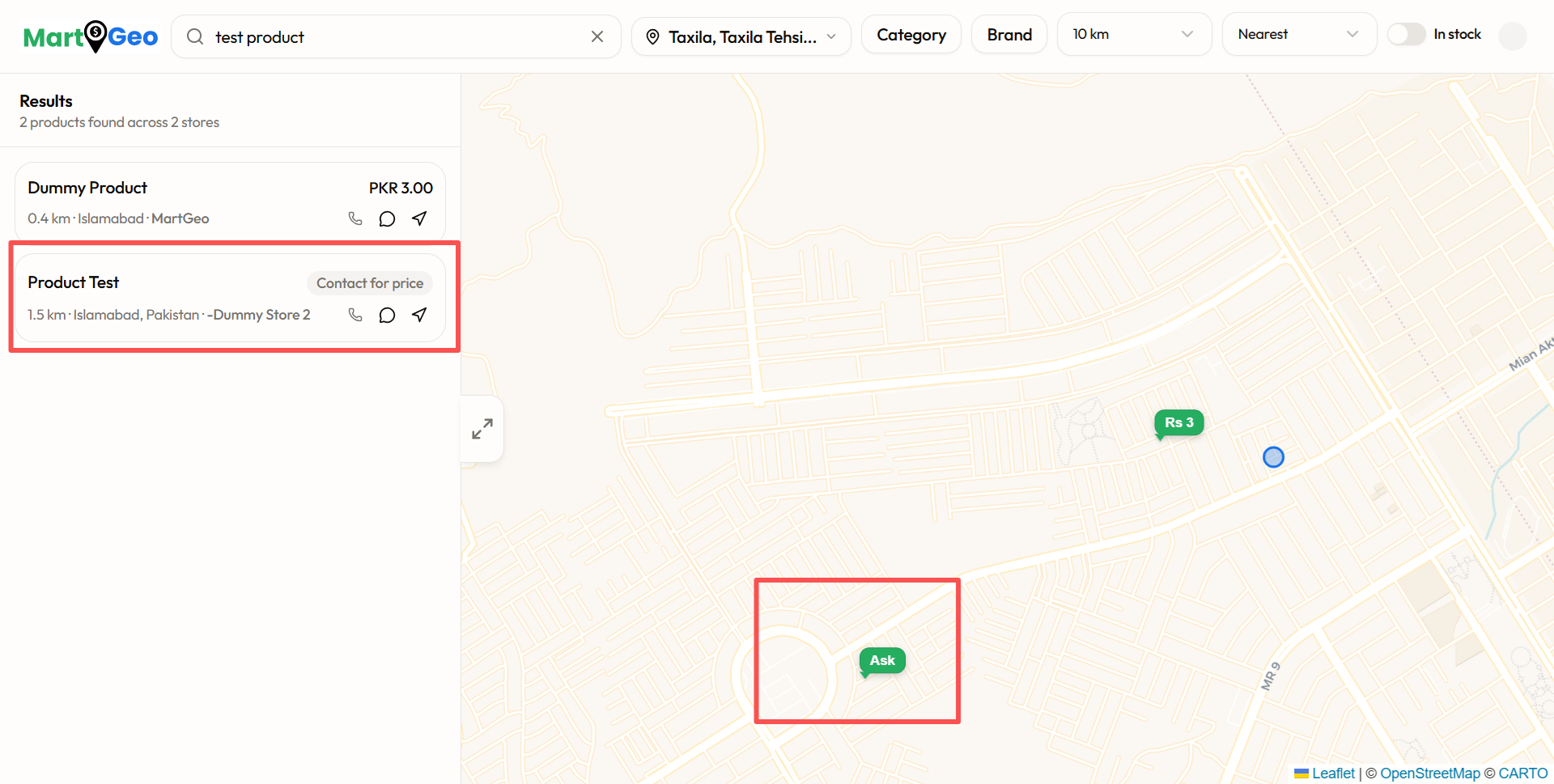
Do not want to show prices publicly? Leave the price empty and buyers see "Ask" — they call or WhatsApp you instead. You stay in control.
Buyers find you on the map
When someone nearby searches for a product you stock, your shop appears as a pin with distance and directions. Local searches become walk-in customers.
Direct contact, no middleman
Every listing has Call and WhatsApp buttons that reach you directly. MartGeo never sits between you and your customer, and never takes a commission on your sales.
For Property Dealers
Built with real dealers in B-17 and Faisal Hills. Your WhatsApp groups already hold your inventory — MartGeo turns them into a searchable catalog.
Paste WhatsApp messages, get listings
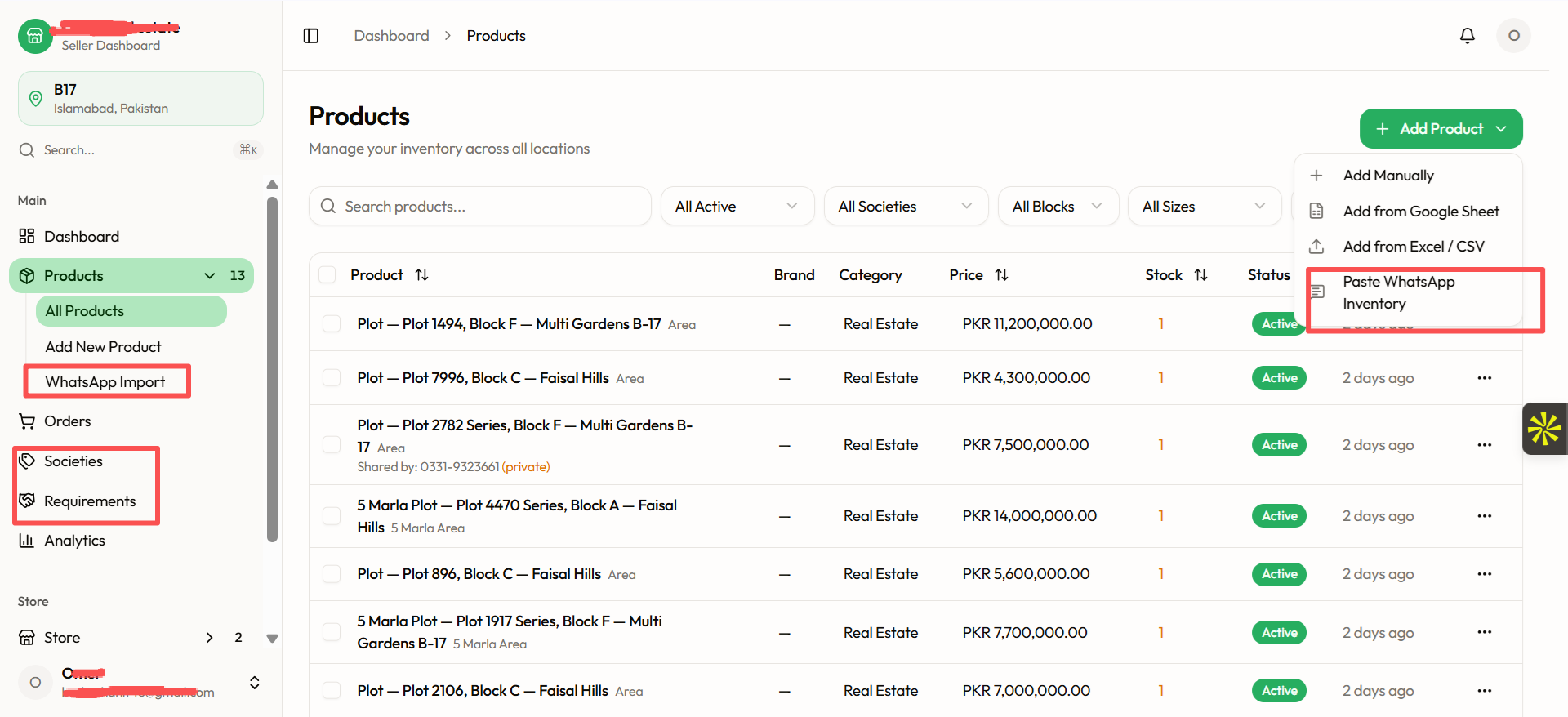
Copy property messages from your dealer groups and paste them in. MartGeo reads societies, blocks, plot numbers, sizes, and prices automatically — even shorthand like "FHB 847, 75 lac fnf". Review, tick, save. A full day of group messages becomes a clean catalog in one minute.
Your societies, your language
Teach MartGeo your area once — "B-17", "Multi Gardens", "FH" — and every future paste understands your shorthand. Built for how dealers in B-17 and Faisal Hills actually write.
Sizes buyers can search
Messages say 25x50; buyers search "5 marla". MartGeo knows the standard plot sizes (25x50 = 5 Marla, 50x90 = 1 Kanal...) and puts both in the listing title, so you get found either way.
Requirements & Market Board
Post what your client needs — society, size, budget — and every dealer on MartGeo sees it. Browse other dealers' requirements, and when one matches a plot in your inventory, MartGeo highlights it: "You have 2 matching plots." Deals find you.
Your sources stay private
The contact who shared a plot with you is stored privately — visible only to you in your own inventory, never to buyers or other dealers. Your network is your asset; MartGeo protects it.
Filter your stock like a pro
Slice your inventory by society, block, size, and deal status (Available / Hold / Sold) in one tap. Find the right plot while the client is still on the phone.
Get started in six steps
From nothing to a live shop — most sellers finish in under fifteen minutes.
- 1
Create your account
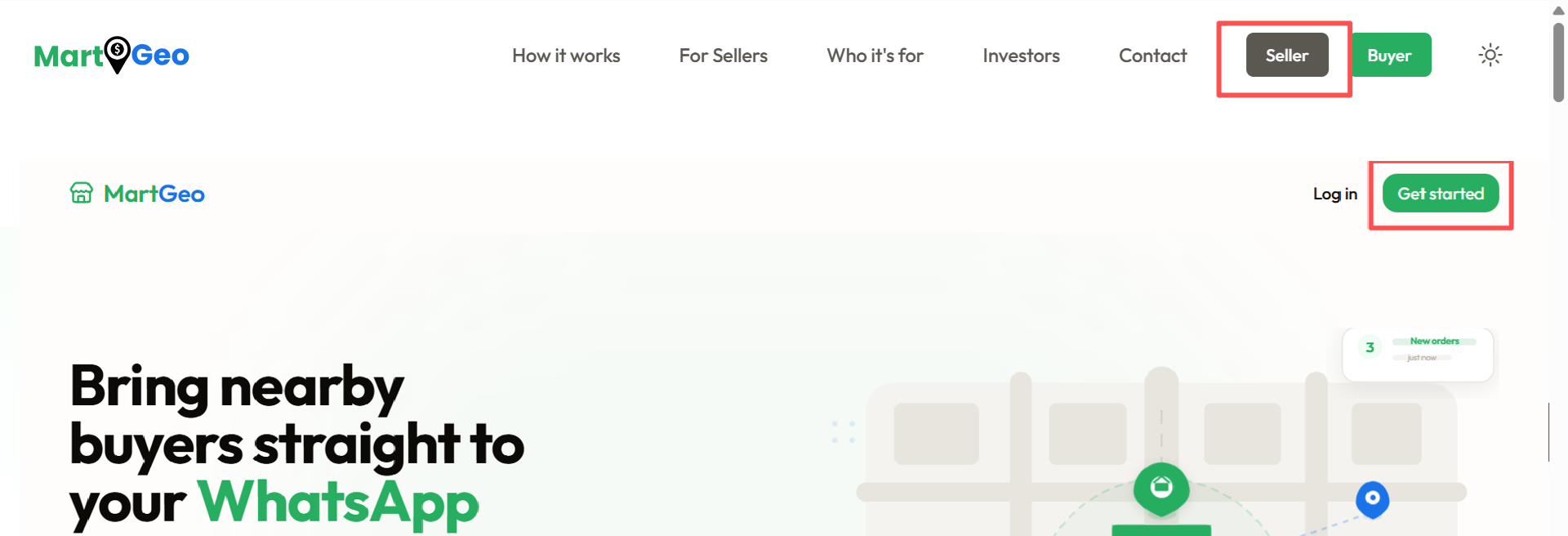
Go to sellers.martgeo.com and tap Sign up. All you need is an email and a password. One account works for your whole shop — your staff can log in from their own phones with the same account.
- 2
Tell us about your shop
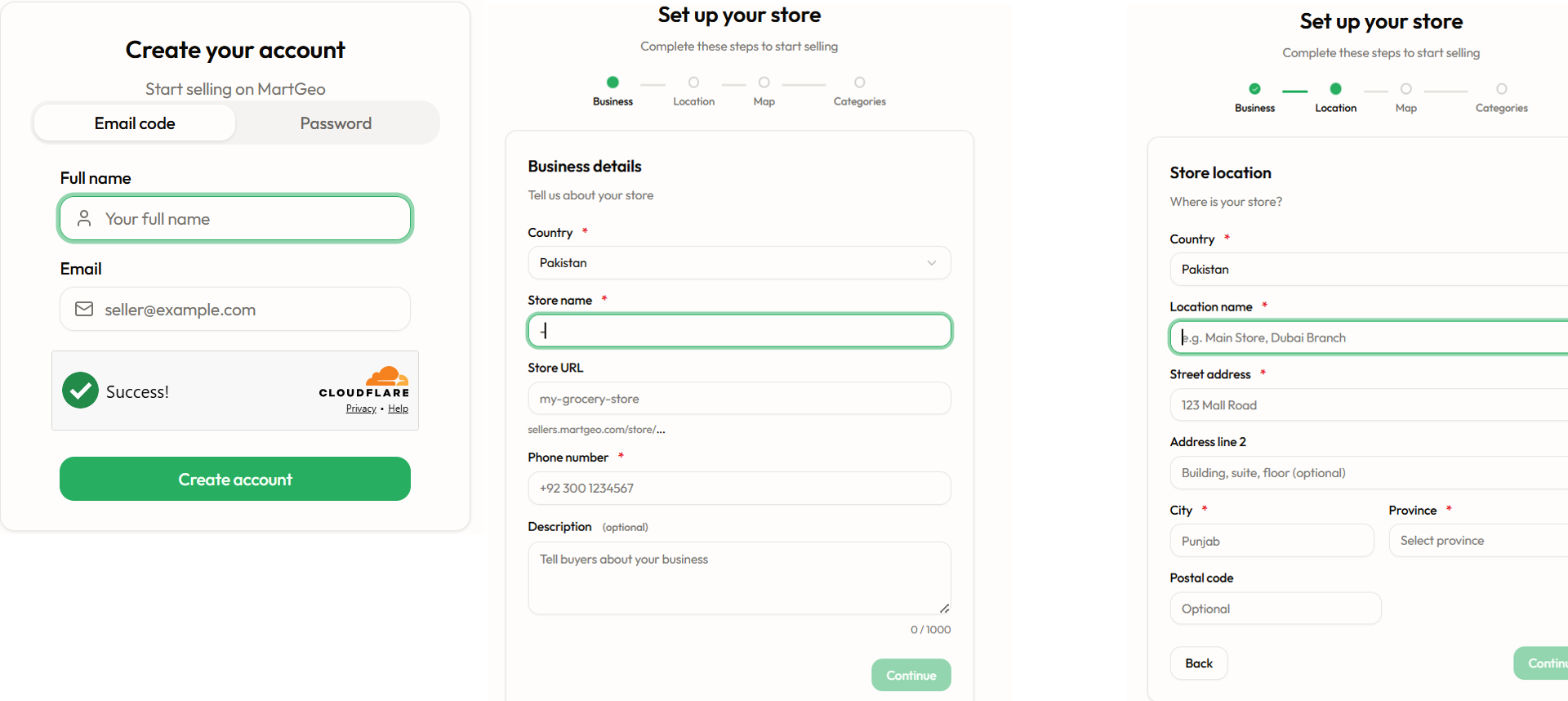
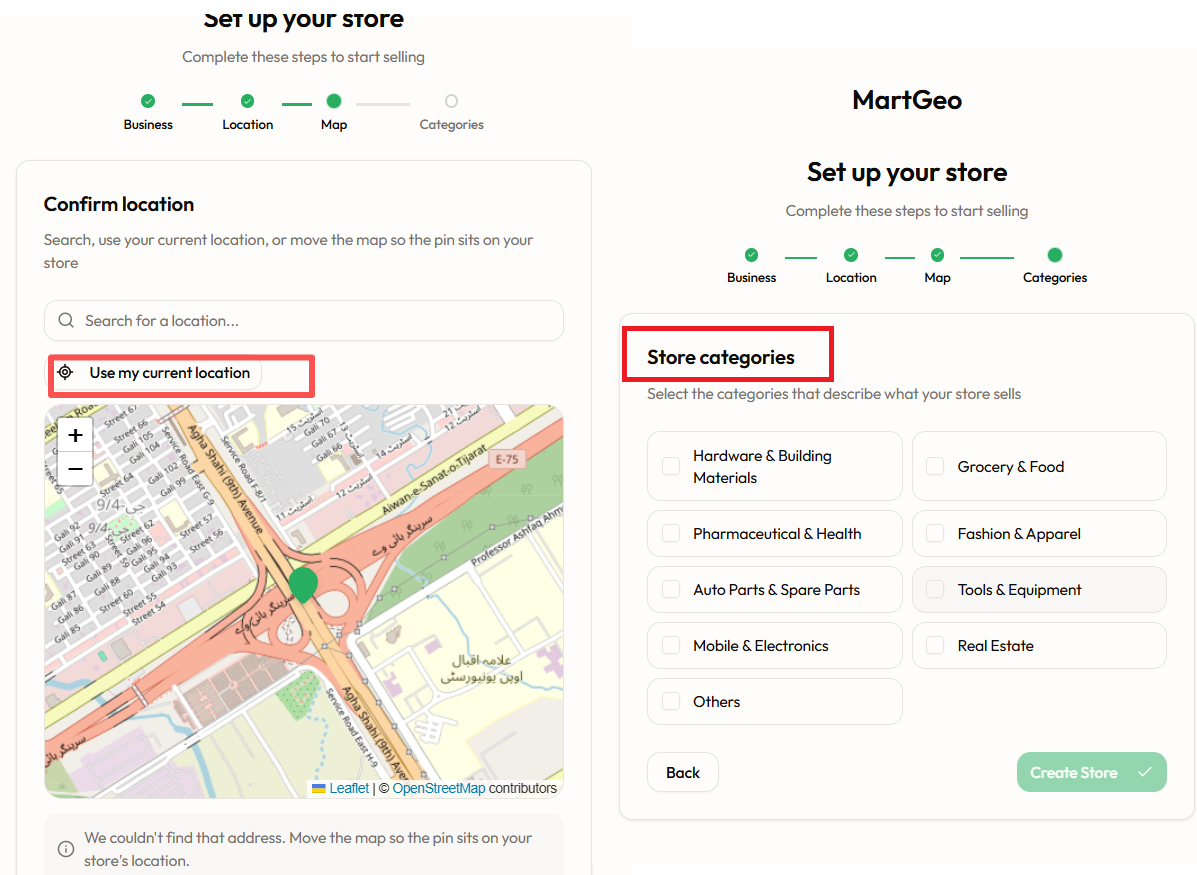
Shop name, phone number, and what you sell — pick your category (Mobile & Electronics, Grocery, Real Estate, Hardware, and more). This decides how your dukan and standee look.
- 3
Pin your shop on the map
Drop a pin exactly where your shop is. This is how nearby buyers discover you — the more precise the pin, the better the directions.
- 4
Add your products
Shopkeepers: add products with the form or upload a CSV sheet. Property dealers: open WhatsApp Import, paste your group messages, review the cards, and save. Prices are optional — leave one empty and buyers see "Ask".
- 5
Print your QR standee
Open Store → QR Code. Your personalised A5 standee is ready — download it in HD or print it directly, and place it on your counter. Every scan opens your dukan.
- 6
You are live
Your shop now appears in buyer search on app.martgeo.com — on the map, with your products, prices, and contact buttons. Share your dukan link in your WhatsApp status and let customers browse from home.
Common questions
How much does it cost?
Nothing. MartGeo is free for founding shops — no listing fees, no commission on your sales. Founding shops also get a special ribbon on their standee.
Do I have to show my prices?
No. Price is optional on every product. If you leave it empty, buyers see "Ask" and contact you directly by call or WhatsApp.
Can my staff use the same account?
Yes. One shop account can be used by several staff members on different phones at the same time — everyone sees the same inventory.
I am a property dealer — who sees my sources?
Only you. The "shared by" contact on imported plots is private to your account. Buyers see the property; other dealers see nothing of your inventory sources.
How do buyers find my shop?
Three ways: they search a product on app.martgeo.com and your shop appears on the map; they scan your QR standee in your shop; or you share your dukan link directly on WhatsApp.